Are AI Video Summaries Accurate? How to Check One in 2 Minutes
What AI YouTube summaries get right, where they slip, and a quick way to verify any summary with timestamps and the transcript before you rely on it.

AI video summaries are a huge time saver: the main points of an hour-long video in seconds. They're also generated by a model reading a transcript, which means they can be wrong in predictable ways. Knowing those ways lets you use summaries confidently.
What summaries are good at
- The main topics and the overall structure of a video.
- Repeated or emphasized points, which the speaker says more than once.
- Deciding whether a video is worth watching.
- Finding where things are, especially with timestamped key moments.
Where they slip
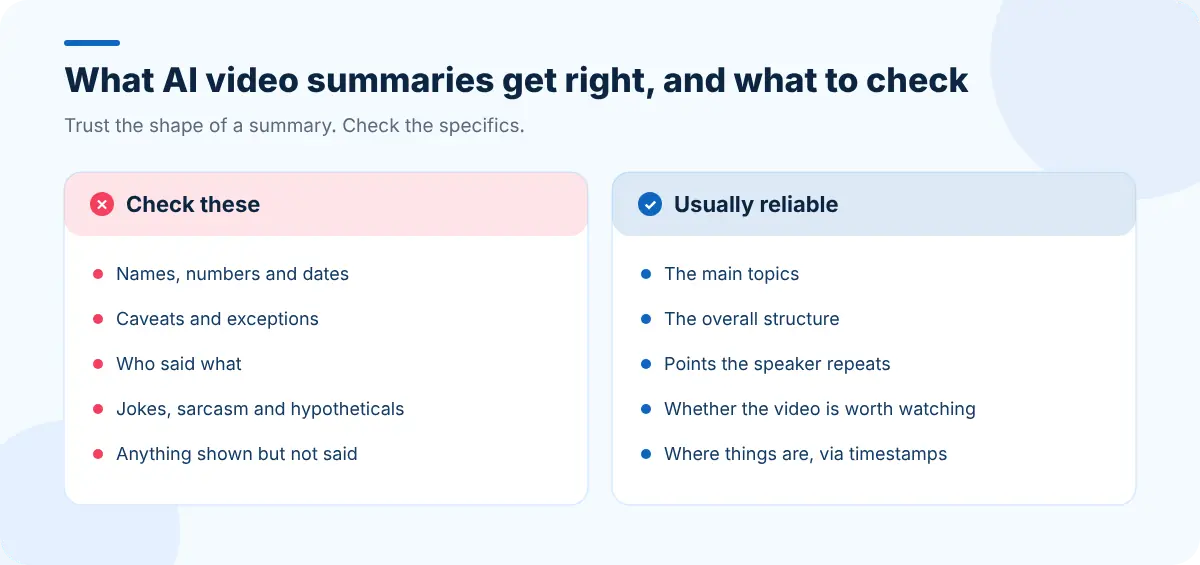
- Caption errors carry through. If the auto-captions misheard a name or number, the summary will repeat it.
- Nuance and caveats ("this works, except when…") can be dropped to save space.
- Who said what in conversations with several speakers.
- Sarcasm, jokes and hypotheticals can be summarized as if they were sincere claims.
- Visual-only information (a chart, code on screen, a demonstration) isn't in the transcript, so it can't be in the summary.
Check any summary in two minutes
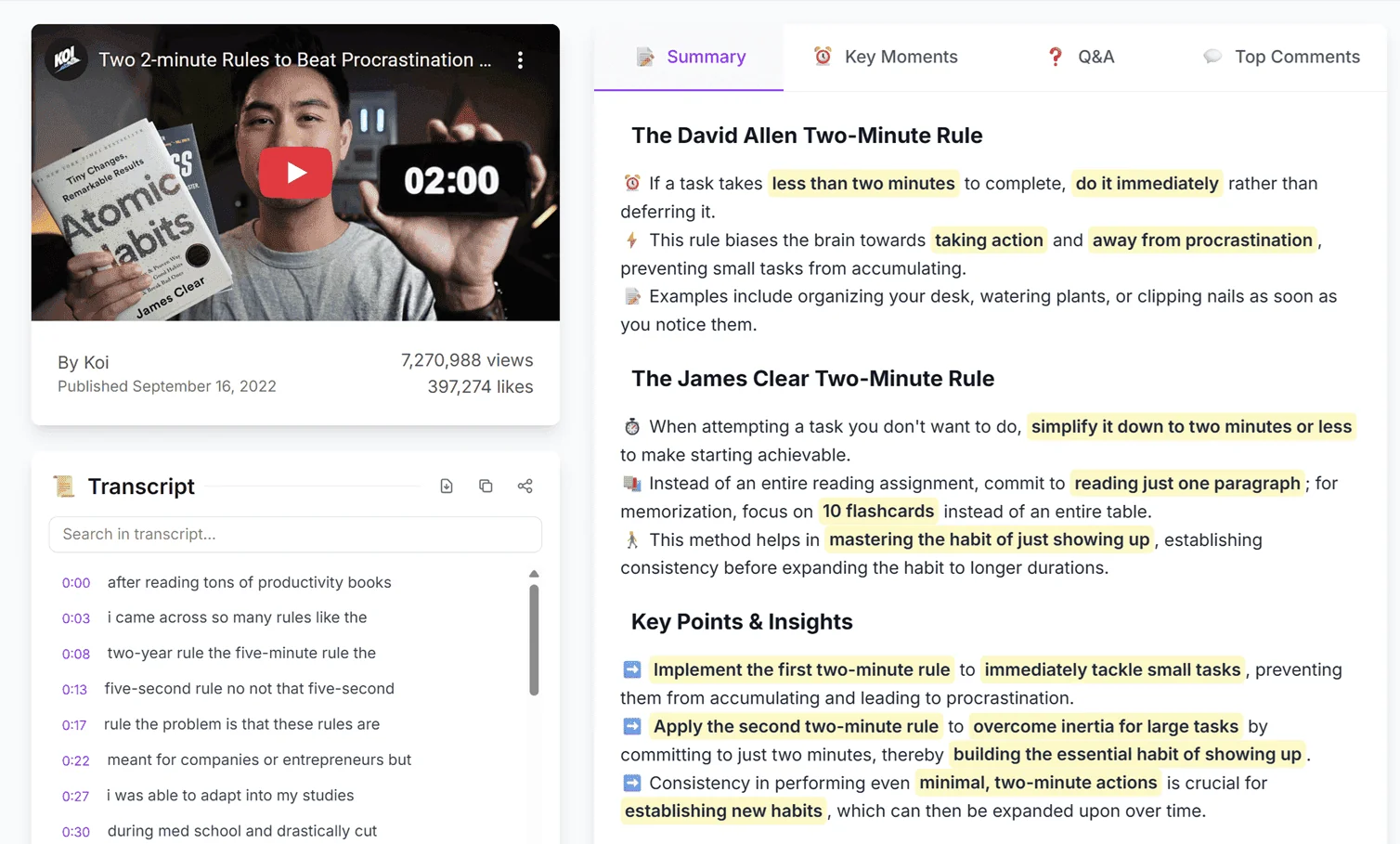
- Skim the summary for specifics: numbers, names, dates, instructions, strong claims.
- Jump to each one using the key moment timestamps.
- Watch ten seconds around it, or read the transcript lines, and confirm.
- Note anything that's wrong or missing before you share or act on it.
SummaryTube shows the summary, key moments with timestamps and the transcript side by side, which is exactly what this check needs.
When to rely on a summary, and when not to
| Situation | Summary alone? |
|---|---|
| Deciding whether to watch | Yes |
| Getting the gist of a talk or news story | Usually |
| Studying for an exam | No, use it as a preview and a check |
| Quoting someone | No, check the exact words |
| Medical, legal or financial decisions | No, go to the source and a qualified professional |
| Publishing an article based on a video | No, fact-check every specific claim |
Improve the odds of an accurate summary
- Prefer videos with creator-uploaded captions; see getting a YouTube transcript for how to tell.
- Use the original upload, not a clip or re-upload.
- Read the key moments, not just the summary, for more detail.
- Ask a specific question. The Q&A view is often better than the summary for a narrow question.
Check the sources a video cites
Videos often mention articles, studies and websites. If a page has changed or disappeared since the video was made, Web Archive Viewer can show you archived versions so you can see what it said at the time. And if you're turning a video into your own article, read our video-to-blog-post guide for a fact-checking pass.
Frequently asked questions
How accurate are AI YouTube summaries?
They're generally reliable for the main topics and structure of a video, especially with good captions. Specific details such as names, numbers and caveats should be checked against the video using the timestamps.
Why does a summary sometimes get a name wrong?
Summaries are built from the video's transcript. If the captions misheard a name or term, the summary will usually repeat the mistake.
Can a summary include things shown on screen but not said?
Usually not. Summaries are based on what's said in the transcript, so charts, code and demonstrations that aren't described aloud won't appear.


