How to Summarize a YouTube Video (Free, in Seconds)
Four ways to summarize a YouTube video: an AI summarizer, the transcript, chapters and your own notes. Step by step, with tips for accurate summaries.

A 40-minute video might hold the five minutes you actually need. Summarizing it first tells you whether to watch, which part to jump to, or whether you can skip it entirely. Here are four ways to summarize a YouTube video, from instant to hands-on.
The four methods at a glance
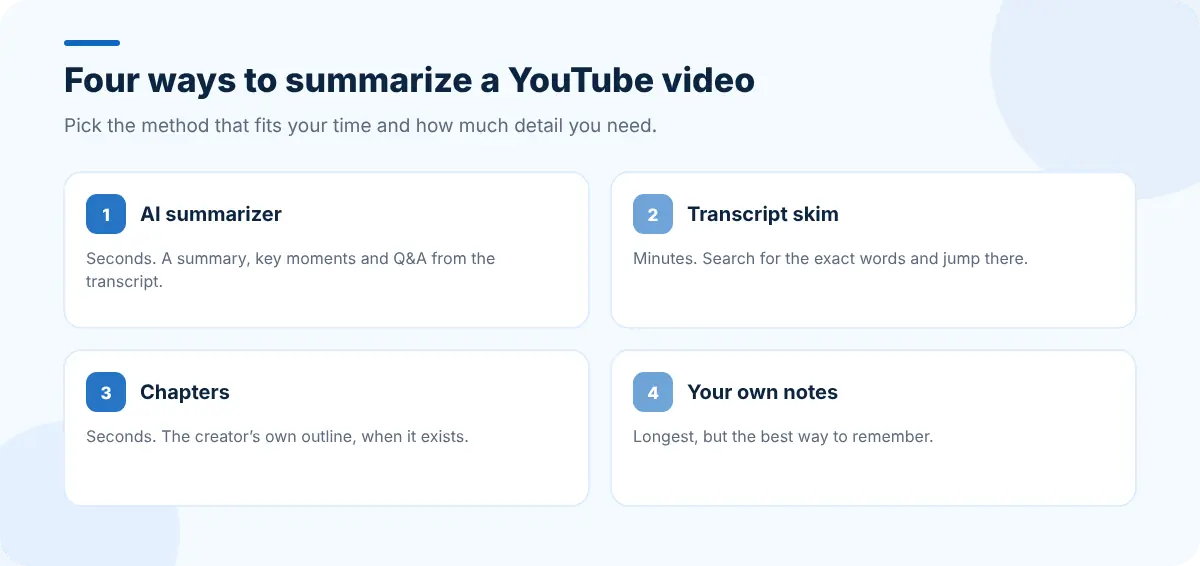
| Method | Time | Best for |
|---|---|---|
| AI summarizer | Seconds | Deciding what to watch, quick reviews |
| Transcript skim | A few minutes | Finding an exact quote or step |
| Chapters | Seconds | Videos the creator has already split up |
| Manual notes | As long as the video | Studying material you need to remember |
Method 1: Use an AI YouTube summarizer
An AI summarizer reads the video's transcript and writes a short summary for you.
- Copy the video's link from the address bar or the Share button.
- Open SummaryTube and paste the link into the box.
- Read the Summary, then open Key Moments to jump to the part you need.
SummaryTube groups the summary by topic and highlights the key facts, lists key moments with timestamps, answers common questions about the video in a Q&A view, and shows the top comments and the transcript alongside. It can also translate summaries into other languages.
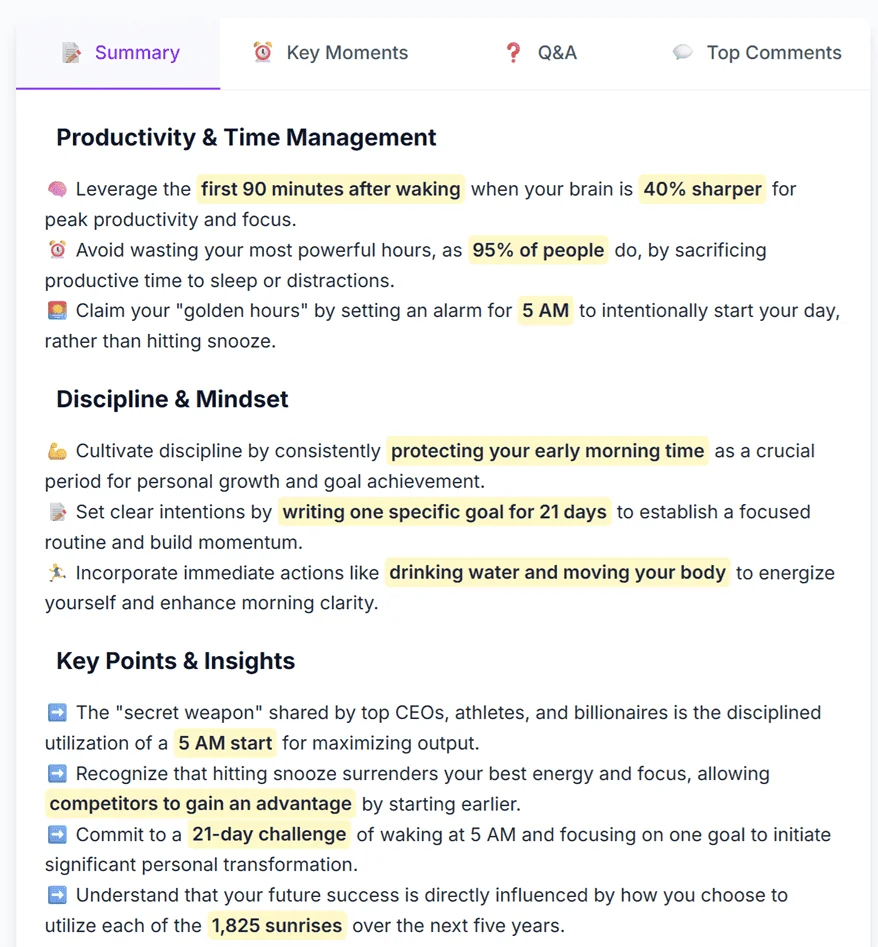
Even faster: add the extension for Chrome or Firefox and get a summary without leaving YouTube.
Method 2: Skim the transcript
Most YouTube videos have captions, and YouTube can show them as a transcript:
- Below the video, click ...more to expand the description.
- Scroll down and click Show transcript.
- Press
Ctrl+F(Cmd+Fon a Mac) and search for the word you care about, then click the timestamp to jump there.
It takes longer than a summary but it's exact. Our guide to getting a YouTube video's transcript covers copying and downloading it too.
Method 3: Use the chapters
Many creators split videos into chapters. You'll see them as segments on the progress bar and as a list in the description. Reading the chapter titles is a ten-second summary of the structure. Not every video has chapters; see how to find the key moments in a YouTube video for what to do when it doesn't.
Method 4: Summarize it yourself
For material you need to learn, writing your own summary beats any tool, because the effort is what makes it stick. Watch at a comfortable speed, pause after each section, and write two or three sentences in your own words. Our guide to taking notes from YouTube videos has a template.
How to get a better summary
- Use the original video, not a re-upload or a short clip.
- Prefer videos with good captions. Summaries are only as good as the transcript underneath. Creator-uploaded captions are usually more accurate than auto-generated ones.
- Check anything you'll act on. Use the timestamps to confirm numbers, names and instructions in the video itself. Our guide to how accurate AI video summaries are explains what to watch for.
Keep what you learn
A summary is most useful when it doesn't disappear into your history:
- Paste key points into your notes, with the video link and timestamps.
- Keep the videos you're working through as a saved tab session with Super Session Manager, so you can close them today and reopen them tomorrow.
- Put a notepad on your new tab with CentPage, so the summary and your notes are one keypress away.
Frequently asked questions
Can I summarize a YouTube video for free?
Yes. SummaryTube has a free plan: paste a YouTube link on the homepage to get a summary. YouTube's own transcript and chapters are free too.
How does an AI YouTube summarizer work?
It reads the video's transcript (its captions) and uses an AI model to condense it into the main points, usually with timestamps that link back to the moments in the video.
Can I summarize a video without captions?
Summarizers generally rely on the transcript. If a video has no captions at all, a summary may not be available; try the chapters or the description instead.
Do I need to install anything?
No. You can paste links on summarytube.com in any browser. The Chrome and Firefox extensions are optional and add summaries directly on YouTube.


