How to Learn Faster From YouTube Tutorials
Pick better tutorials, skip what you know, practise as you go and remember more. A practical system for learning skills from YouTube.

YouTube has a tutorial for almost everything, and that's the problem: it's easy to watch ten videos and still not be able to do the thing. Learning faster isn't about watching at 2× speed. It's about choosing well, watching less, and practising more.
The learning loop
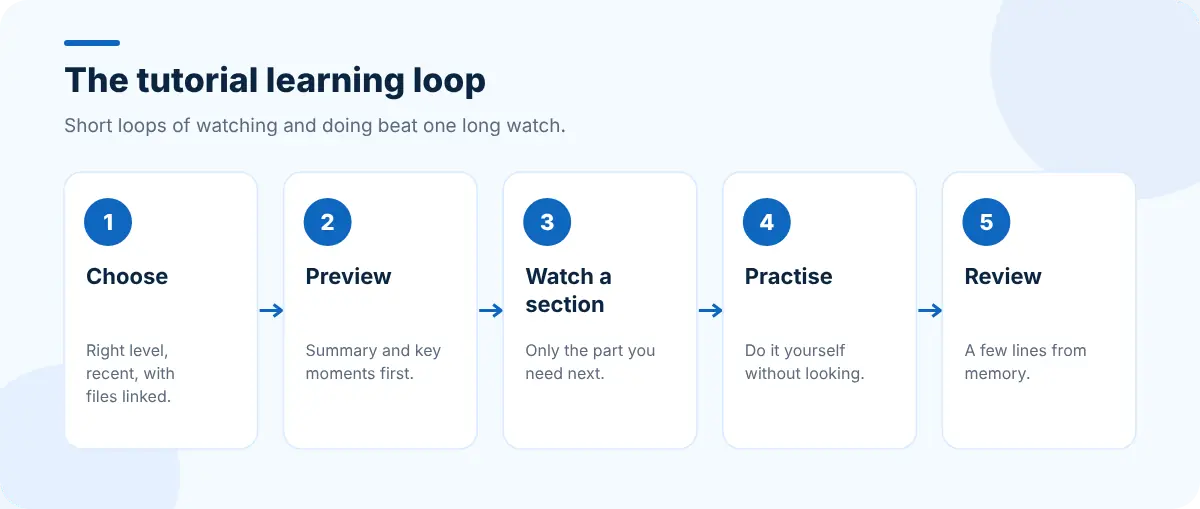
1. Choose the right tutorial
Two minutes of choosing saves an hour of watching:
- Check the date. For software, a tutorial for an old version can teach outdated steps.
- Check the level. Beginner tutorials explain everything; if you know the basics, look for "intermediate" or "project" videos.
- Read the summary first. A SummaryTube summary shows what the video actually covers before you commit. If the key points don't include what you need, move on.
- Prefer tutorials with code or files linked, so you can follow along without copying from the screen.
2. Skip what you already know
Use chapters and key moments to jump straight to the parts that are new to you. SummaryTube lists key moments with timestamps, which helps when a video has no chapters. Our guide to finding the key moments in a YouTube video shows other ways.

3. Practise as you go
Watching someone code, design or play an instrument creates the feeling of understanding. Doing it yourself is where the learning happens.
- Watch one section.
- Pause and do it yourself, without looking.
- Only rewatch when you're stuck.
- Change something: a different example, a different color, a different dataset. If you can adapt it, you've learned it.
4. Get out of "tutorial hell"
If you've finished several tutorials but can't build anything alone, change the ratio: one tutorial, then one small project of your own that uses the same skills without the video. Getting stuck on your own project teaches more than another tutorial.
5. Review so it sticks
At the end of a session, write a few lines from memory: what you learned, what confused you, what you'll try next. Our note-taking guide has a template. The next day, spend five minutes rereading your notes before starting the next video.
Tools that help
| Need | Tool |
|---|---|
| Preview a video and find key moments | SummaryTube |
| Inspect and experiment with web pages from a tutorial | Web Developer Tools or Edit Page |
| Keep each course's tabs for tomorrow | Super Session Manager |
| A study timer and to-do list on every new tab | CentPage |
For web development tutorials in particular, trying a CSS change on a real page as soon as you see it is the fastest way to learn it; Edit Page's guide to inspecting and editing HTML and CSS shows how.
Don't let the queue grow forever
Saving tutorials "for later" is easy; watching them isn't. Keep your list short and intentional with our guide to organizing your YouTube Watch Later list.
Frequently asked questions
Is it better to watch tutorials at faster speed?
A little faster (1.25× to 1.5×) works well for explanations you're following easily. Slow down, or pause, for anything new or complex. Speed matters much less than practising what you watch.
How do I know if a tutorial is worth watching?
Check the upload date and level, read a summary or the chapter list, and make sure it covers what you need. If it doesn't, skip it.
How do I stop forgetting what I learned from videos?
Practise each step yourself, write a short summary from memory after the session, and review your notes the next day.


