How to Take Notes From YouTube Videos (A Simple, Proven Method)
Take better notes from YouTube lectures and tutorials with a three-pass method, a timestamped template, and summaries used the right way.

Watching a great video feels like learning. A week later, most of it is gone. Notes are what turn watching into remembering, and video is easier to take notes from than people think, because you can pause, rewind and search.
The three-pass method
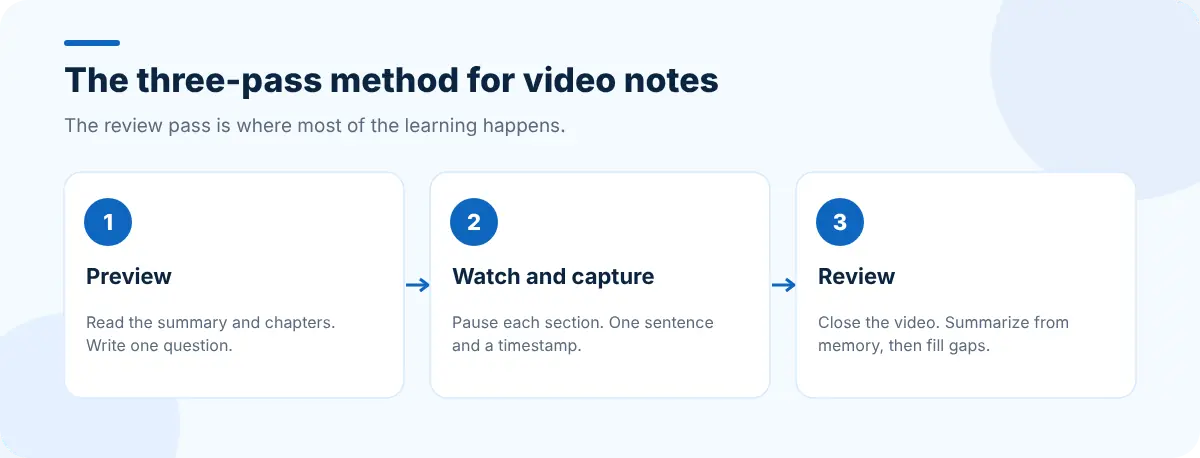
Pass 1: Preview (2 minutes)
Before you press play, find out what's in the video. Read the chapter titles and an AI summary from SummaryTube. Write down one question you want the video to answer. That question keeps you focused while you watch.
Pass 2: Watch and capture
Watch at a comfortable speed and pause at the end of each section. For each one, write:
- The main point, in one sentence of your own words.
- The timestamp, so you can find it again.
- Anything you'd look up or try later.
Don't transcribe. If you're typing what the speaker says word for word, you're copying, not thinking.
Pass 3: Review (5 minutes)
Close the video and, from memory, answer your question from pass 1 and write a three-sentence summary. Then compare with your notes and the AI summary, and fill the gaps. Recalling from memory is what makes the material stick.
A note template you can copy
Video: <title> — <link>
Why I'm watching: <one question>

[00:00] Main point in my own words
[04:30] Main point …
[11:15] Example / step worth rewatching

Summary (from memory, 3 sentences):
…

To try / look up:
- …
Use the tools, but not instead of thinking
| Tool | Use it for | Don't use it for |
|---|---|---|
| AI summary | Previewing, checking what you missed | Replacing your own summary |
| Key moments | Building your timestamp list fast | Skipping the parts you find hard |
| Transcript | Exact quotes, definitions, steps | Copying the whole thing into your notes |
| Q&A | Testing yourself after watching | Avoiding the review pass |
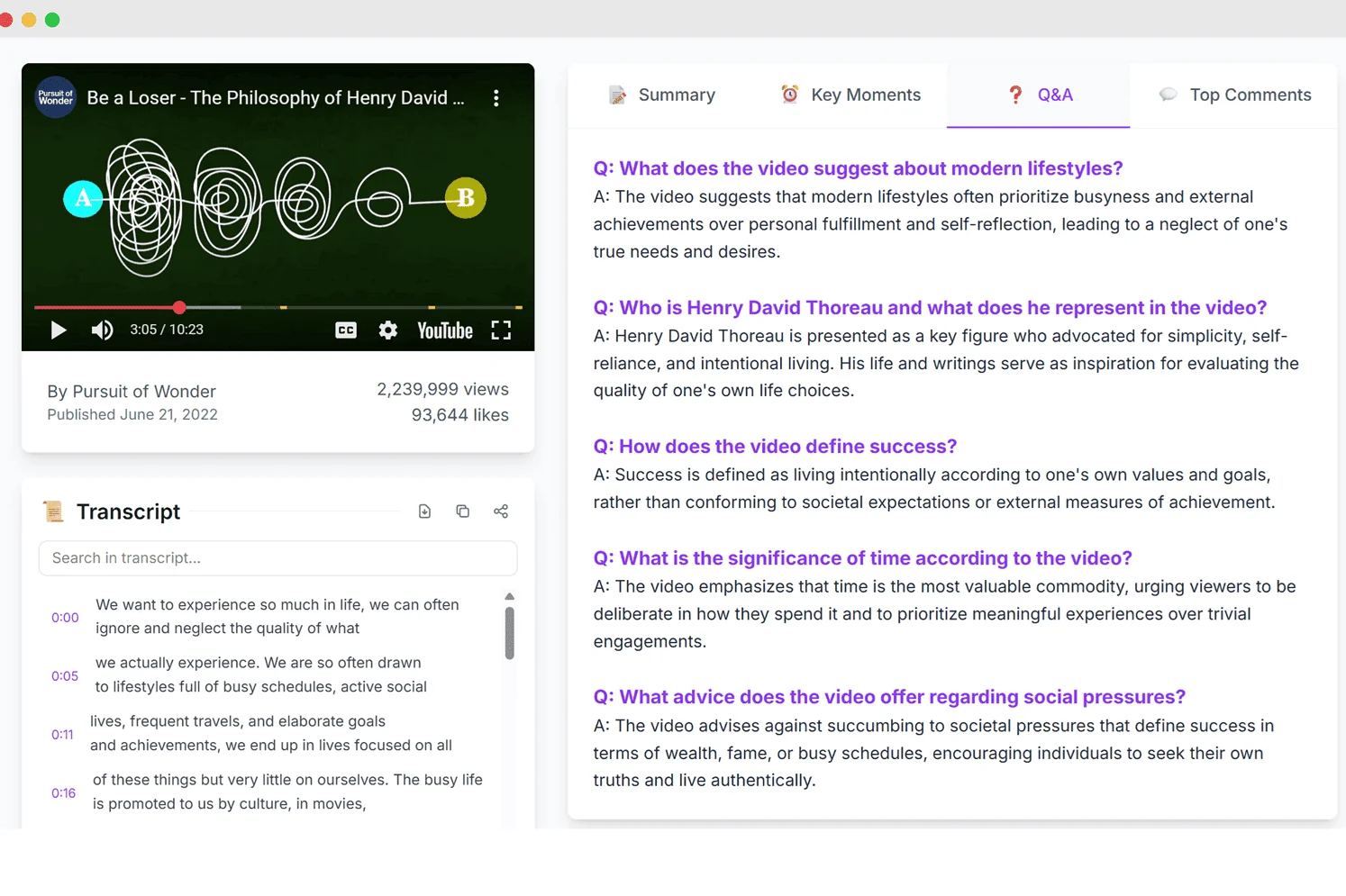
SummaryTube shows the summary, key moments with timestamps, a Q&A view and the transcript side by side, which makes passes 1 and 3 quick.
Where to keep your notes
- One notes app or document per subject, with the video links inside, not scattered across bookmarks.
- A quick notepad for stray thoughts while you watch. CentPage puts Sticky Notes and a to-do list on your new tab.
- A saved session for each course or topic: Super Session Manager saves the videos and documents you're working through as a named session, so you can close them and reopen them later.
- Archived copies of important pages: if a linked resource might disappear, Web Archive Viewer finds archived versions of a page.
Tips for specific kinds of video
- Coding tutorials: take notes on concepts, and copy code from the linked repository rather than from the screen. Then do the exercise. See learning faster from YouTube tutorials.
- Lectures: follow the lecturer's structure; chapters often match the slides.
- Talks and podcasts: note the arguments and the evidence for them. See summarizing long podcasts and interviews.
Frequently asked questions
Should I take notes while watching or after?
Both. Capture short notes with timestamps while watching, pausing at the end of each section, then write a summary from memory after the video ends.
Can an AI summary replace my notes?
It's a great preview and a good check, but writing your own summary is what helps you remember. Use the AI summary to find gaps, not to skip the work.
How do I take notes from a long video quickly?
Read the summary and key moments first, then watch only the sections that answer your question. Use the transcript to grab exact definitions or steps.


