How to Stay Focused When Learning From YouTube
Stop getting distracted on YouTube while you study: a focus setup with a plan on your new tab, a Pomodoro timer, summaries first and fewer recommendations.

You open YouTube to watch one lecture. Forty minutes later you've seen three unrelated videos, read the comments on a fourth, and the lecture is still at 6:12. YouTube is one of the best places to learn anything, and it's also built to keep you watching whatever comes next. Staying focused there takes a setup, not willpower.
This guide gives you a simple one: decide before you open YouTube, preview with a summary, watch in timed blocks, and make the distractions harder to reach.
Why YouTube is hard to focus on
- Recommendations are designed to be clicked. The sidebar and end screens are tuned to your interests, not your goals.
- Autoplay decides for you. If you don't stop it, the next video starts.
- Every visit starts at the home feed, unless you go somewhere specific first.
- Long videos invite drifting. At minute 25 of a 60-minute lecture, anything else looks more interesting.
The fix is to make focus the default: arrive with a plan, go straight to the video, and remove the easy exits.
Step 1: Decide what you're learning before you open YouTube
Write down one learning goal for the session, as a task: "Understand how recursion works and solve two practice problems", not "watch programming videos". Then choose the video from your notes, a playlist or a link, so you never land on the home feed.
The place you write this matters. If it's in a notes app you have to open, you'll forget it. If it's on the page you see every time you open a new tab, you'll see it every time you're about to wander.
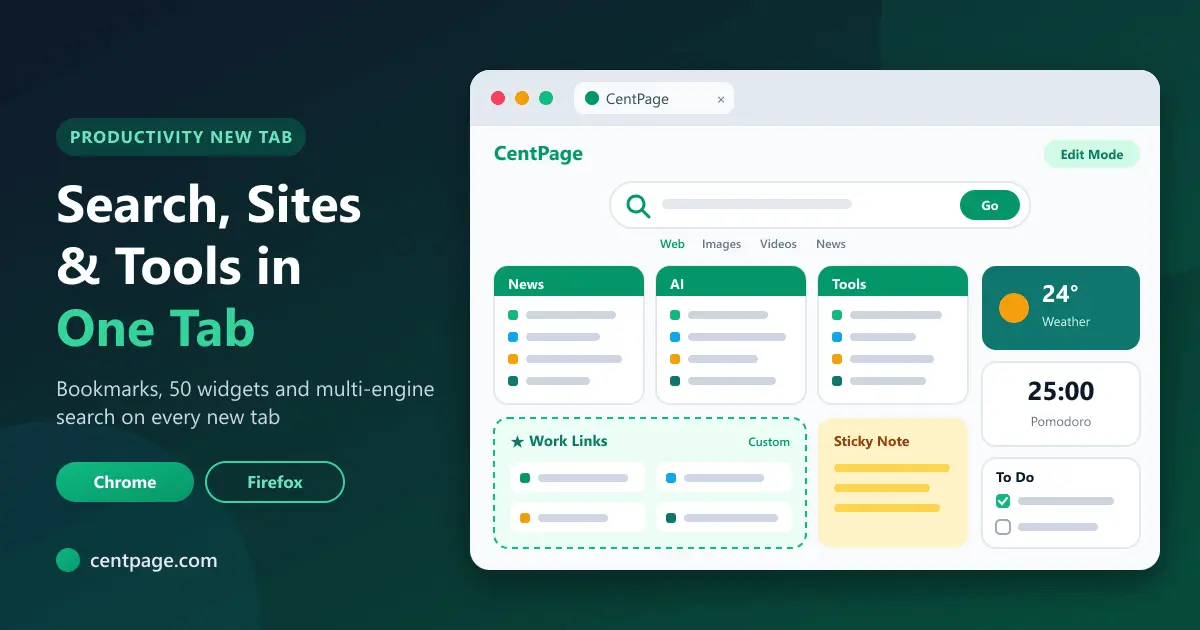
CentPage, from the same maker as SummaryTube, turns your new tab into a dashboard with a To Do List, Sticky Notes and a Pomodoro Timer. Put today's learning goal at the top of the list and every new tab reminds you what you're doing.
Step 2: Preview with a summary
Before pressing play, read a SummaryTube summary of the video and look at its key moments. Two things happen:
- You find out whether the video actually covers your goal. If it doesn't, you've saved an hour.
- You know the structure, so you can watch the important sections first and skip what you already know.
A preview also makes drifting less tempting, because you know exactly which section comes next and why it matters.
Step 3: Watch in timed blocks
Learning in one long stretch rarely works. Short blocks with breaks do:
- 25 minutes on, 5 minutes off is the classic Pomodoro rhythm. For dense material, try 20 minutes; for practice-heavy work, 45.
- During a block: one video, one section at a time, pausing to take notes or try things yourself.
- During a break: stand up and look away from the screen. Not another video.
CentPage's Pomodoro Timer sits on your new tab, so starting a block is one click away. If you'd rather not install anything, CentPage also has a standalone online Pomodoro timer, and its blog has a full guide to using the Pomodoro Technique in your browser.
Step 4: Make the distractions harder to reach
You don't need special software to calm YouTube down. A few settings and habits go a long way:
| Distraction | What to do |
|---|---|
| Autoplay | Turn off the autoplay toggle in the player |
| Sidebar recommendations | Use theater mode or full screen while you study |
| Comments | Don't scroll below the video during a block; read them in a break if you must |
| Notifications | Turn on your system's focus mode while you study |
| Other tabs | Save and close everything unrelated before you start |
| The home feed | Open videos from your notes or playlists, not from the YouTube homepage |
For other tabs, a session manager such as Super Session Manager lets you save your open work as a session, close it for the study block and reopen it afterwards.
Step 5: End every session the same way
Spend the last five minutes closing the loop:
- Write a three-line summary from memory: what you learned, what's still unclear, what's next.
- Tick the task off on your new tab, or move it to tomorrow.
- Add the next video to your list, so tomorrow's session starts with a decision already made.
Our guide to taking notes from YouTube videos has a template for the summary.
A sample study setup
Putting it together, a focused setup for learning from YouTube looks like this:
- New tab: today's learning task, a Pomodoro timer and links to your course or playlists.
- Before each video: a summary and key moments to choose what to watch.
- While watching: one video, autoplay off, full screen, notes open beside it.
- Between blocks: a real break away from the screen.
- After the session: a short summary from memory and the next task written down.
It takes ten minutes to set up once and saves hours of drifting every week. For more on studying with video, see how to learn faster from YouTube tutorials.
Frequently asked questions
How do I stop getting distracted on YouTube while studying?
Decide what you're learning before you open YouTube, go straight to the video from your notes, preview it with a summary, turn off autoplay, and study in timed blocks with breaks.
Is the Pomodoro Technique good for learning from videos?
Yes. Short blocks of 20 to 25 minutes match how long most people can watch actively, and the breaks give you a natural point to review what you just learned.
Do I need an extension to stay focused?
No, the settings and habits above work on their own. A new tab dashboard such as CentPage makes it easier, because your plan and timer appear every time you open a tab.
Is CentPage free?
Yes. CentPage's new tab dashboard, including the To Do List, Sticky Notes and Pomodoro Timer, is free for Chrome and Firefox. Premium adds more widgets and custom tables and removes ads.


