Web Archive Viewer: Search 8 Web Archives From One Popup
A guide to Web Archive Viewer, the free extension that searches the Wayback Machine and seven more archives: snapshots by date, timelines, compare and Pro.

Web pages change and disappear all the time. Articles get rewritten, products get repriced, sources cited in a video quietly vanish. Web archives keep copies, but checking them one by one is slow, and most people only know the Wayback Machine.
Web Archive Viewer is a free browser extension from the same maker as SummaryTube that searches the Wayback Machine and seven other public web archives from one popup. This guide covers what it does, how to use it and when it's useful.
What Web Archive Viewer does
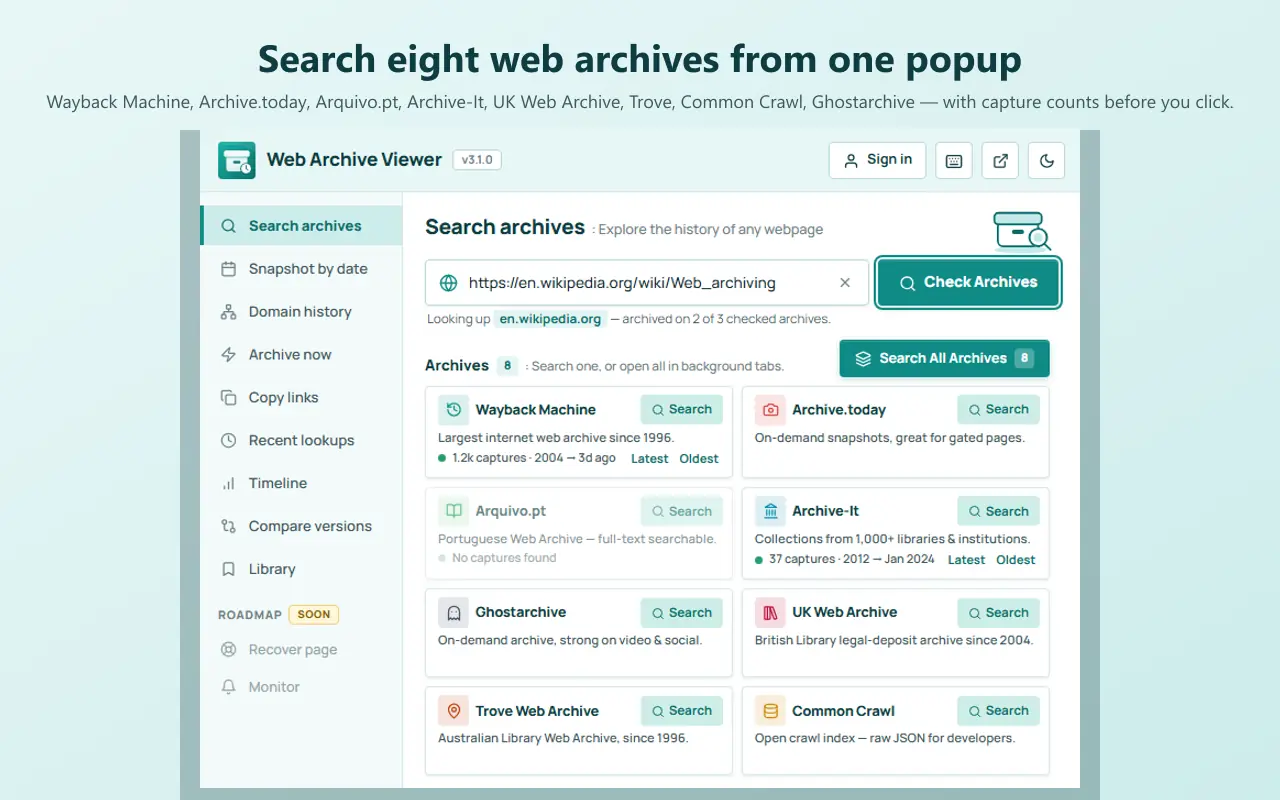
Open it on any page, or paste any URL, and it checks which archives have copies of that page and how many. From there you can open captures, find the one closest to a date, browse a timeline and more.
The archives it searches:
| Archive | Good for |
|---|---|
| Wayback Machine | The largest archive, with captures going back to 1996 |
| Archive.today | On-demand snapshots, useful for pages behind cookie walls |
| Ghostarchive | Video and social media pages |
| Archive-It | Collections curated by libraries and institutions |
| Arquivo.pt | The Portuguese web archive, with full-text search |
| UK Web Archive | The British Library's archive of UK websites |
| Trove | The National Library of Australia's web archive |
| Common Crawl | Raw crawl data for developers |
Install and first search
- Install it for Chrome, Edge or Firefox, and pin it to the toolbar.
- Open a page you want to look back at, then click the extension. The current page's address is filled in for you.
- Click Check Archives. Each archive shows whether it has the page, with capture counts and the date range.
- Click Latest or Oldest to open a capture, or Search All Archives to open every result.
The free tools
The free version covers the everyday ways people use web archives:
- Search archives: check one archive or all of them at once.
- Snapshot by date: pick a date and jump to the closest capture, which is handy when you want to see a page as it was when a video or article referenced it.
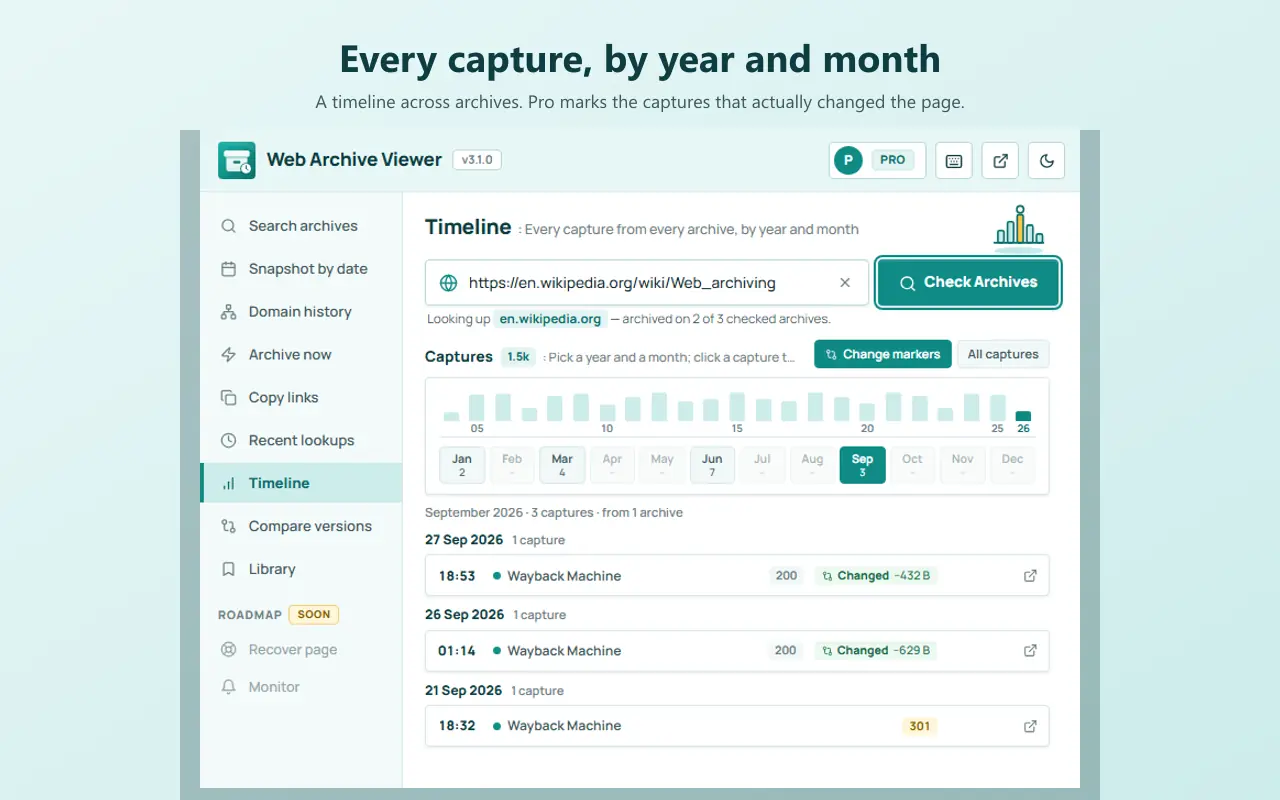
- Timeline: browse captures by year, month and day.
- Domain history: see historical URLs, subdomains, files and redirects for a site.
The popup also has Archive now, to request a fresh capture of a page through supported archive services, and Copy links and Recent lookups to keep archive links and revisit earlier searches.
Pro tools
Pro is optional and aimed at research and professional work. It adds:
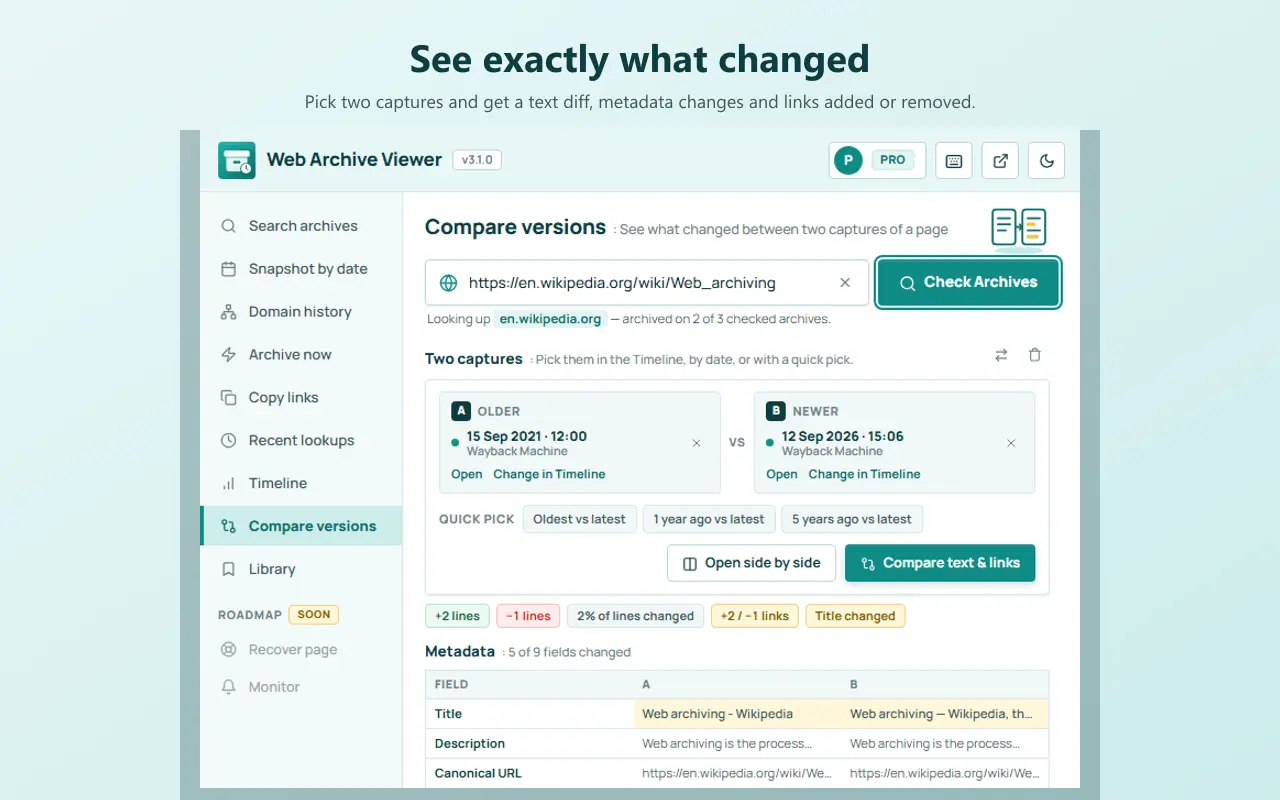
- Compare versions: see what changed between two captures, including text, headings, links, metadata and prices, and a visual side-by-side comparison.
- Recover page: search for surviving copies of deleted or changed pages and extract their readable content.
- Historical search and trends: find when a word or phrase appeared or disappeared on a page, and follow changes in titles, headings and word counts over time.
- Research Library: collections, notes, tags and ready-made citations in APA, MLA, Chicago, BibTeX and Wikipedia formats.
- Bulk lookup and reports: check up to 1,000 URLs at once, create evidence reports and export research.
When it's useful for YouTube viewers and creators
Web archives aren't only for researchers. A few situations where Web Archive Viewer comes in handy alongside SummaryTube:
- A source cited in a video has changed. Videos often mention articles, studies and product pages. Use Snapshot by date with the video's upload date to see what the page said at the time.
- A video in your playlist was deleted. Search the archives for its watch page to find the title and description; our guide to finding a deleted YouTube video explains the steps.
- You're fact-checking a summary. Our guide to how accurate AI video summaries are recommends checking the sources behind specific claims; archives show those sources even after they change.
- You're a creator checking your own site's history, for example how your landing page or channel links looked before a redesign.
Privacy
Web Archive Viewer reads the current tab's address only when you open it, and doesn't read the content of pages you visit. It has no tracking or analytics. Lookups go through the Web Archive Viewer API, which caches public archive data. Sign-in is optional and only needed for Pro. Web Archive Viewer is independent and not affiliated with the Internet Archive or the other archive services.
Learn more
Web Archive Viewer's blog has in-depth guides, including how to see old versions of any website, a list of Wayback Machine alternatives and Wayback Machine tips most people don't know.
Frequently asked questions
Is Web Archive Viewer free?
Yes. Searching archives, snapshots by date, the timeline and domain history are free. Pro adds comparison, recovery, historical search, the Research Library, bulk lookup and reports.
Is it the same as the Wayback Machine?
No. The Wayback Machine is one archive, run by the Internet Archive. Web Archive Viewer is an independent extension that searches the Wayback Machine and seven other archives together.
Can it show me a page that was never archived?
No. Archives only have pages that were captured while they were online. If no archive has a page, Web Archive Viewer will show no captures. You can use Archive now to make sure a page you care about is captured from now on.
Does it work on any website?
It works with any public web address. Pages behind logins and some heavily scripted pages are captured less often or less completely by archives.


